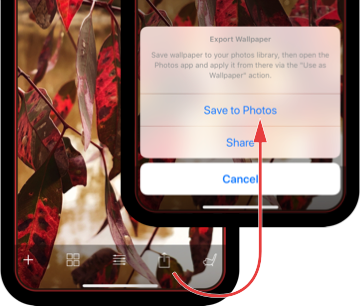
Quickly and easily make wallpapers for your home or lock screen with Notched, in just four simple steps:
Import any photo from your library or choose from a great selection of included images
Set border colour, style (single or double stripe) and opacity
Export wallpaper to your photo library
Apply wallpaper to your home or lock screen from the Photos app, via the "Use as Wallpaper" action
Move and scale as shown in the videos below for iPhone X:
Pinch in to zoom wallpaper out and move up to align with notch.If you have Reduced Motion turned on no scaling is required, simply move up to align with notch.